
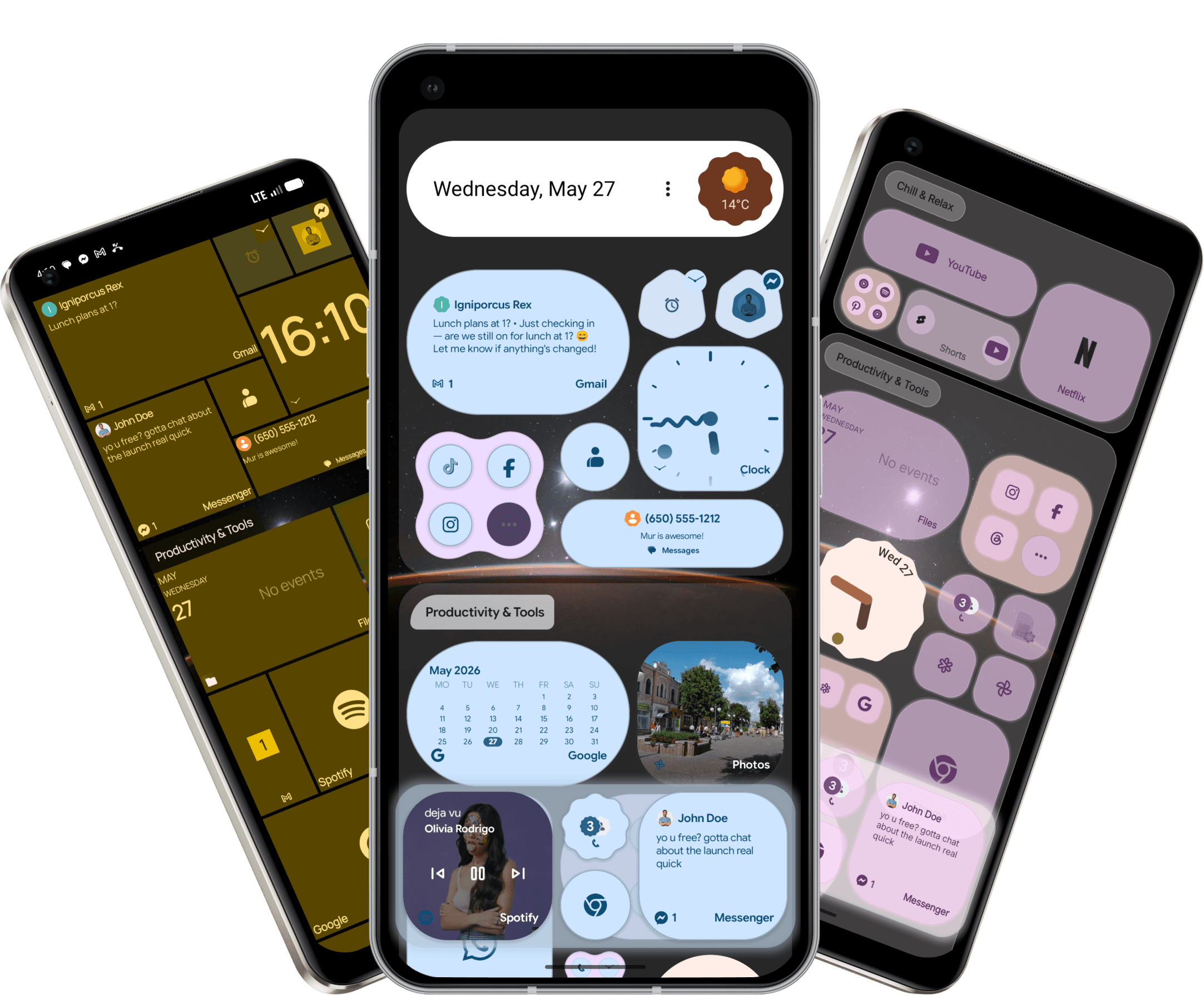
Tiles.
Reimagined.
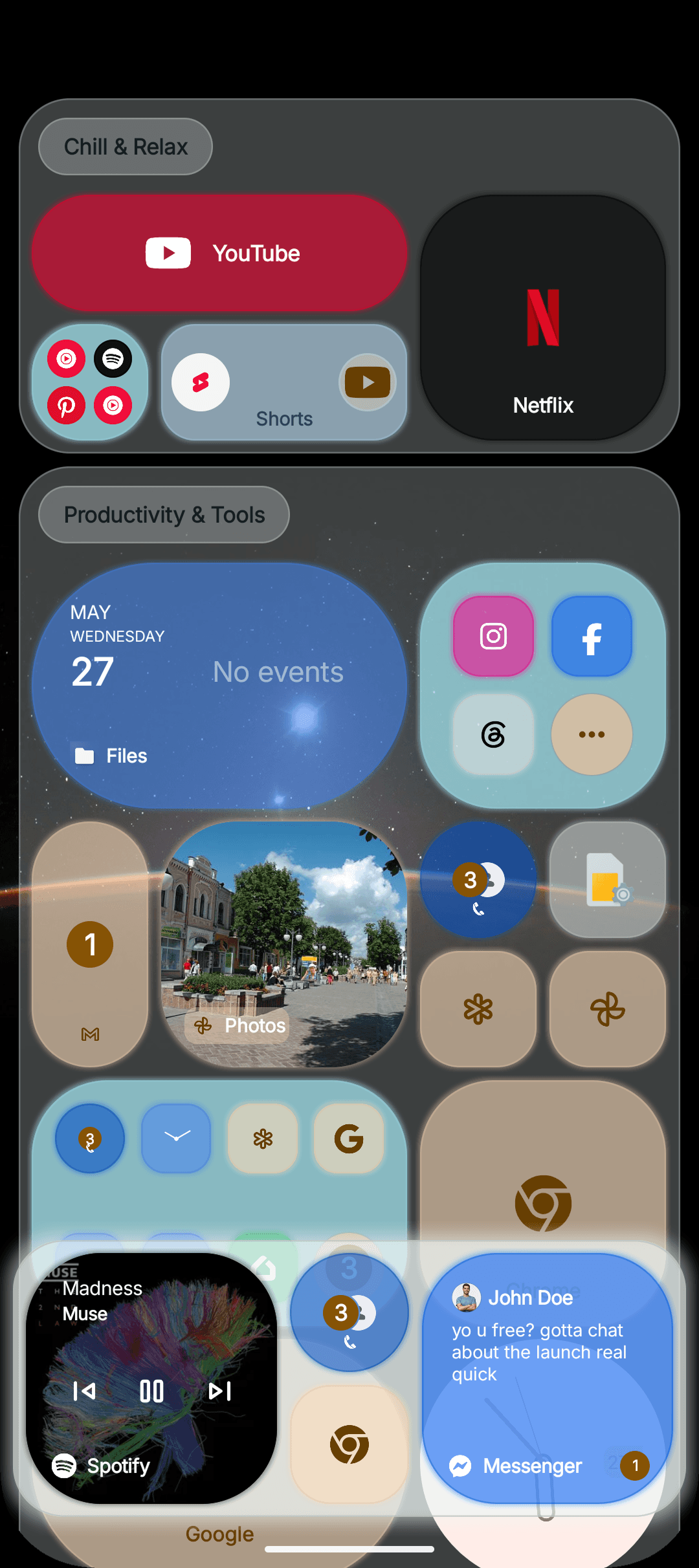
Live tiles. Press-and-hold dashboards. A grid that bends around your day. The Android home screen, finally worth setting up.
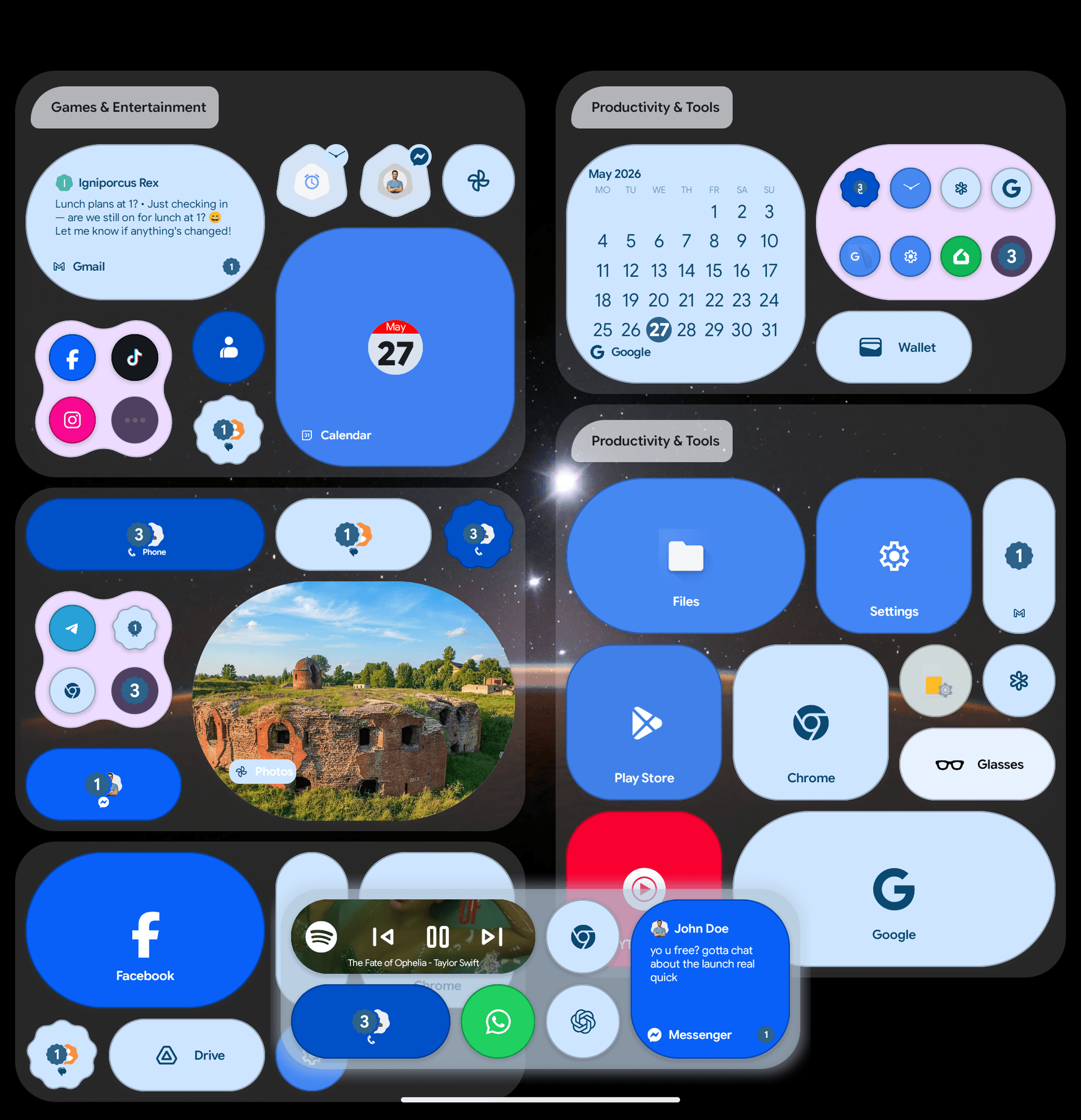
Your home screen,
actually doing things.
Tiles aren't icons in boxes. They show what's playing, who messaged, what's next on the calendar. Glance, done. No tap to find out.
Fit more.
Or keep it simple.
Small for a quick tap. Big for a whole live dashboard. Every spot on the grid earns what it gets.
Hold a tile.
Open a hub.
Long-press and the tile folds open into your stuff. Notifications, a widget, your shortcuts. The app underneath is still one tap away.
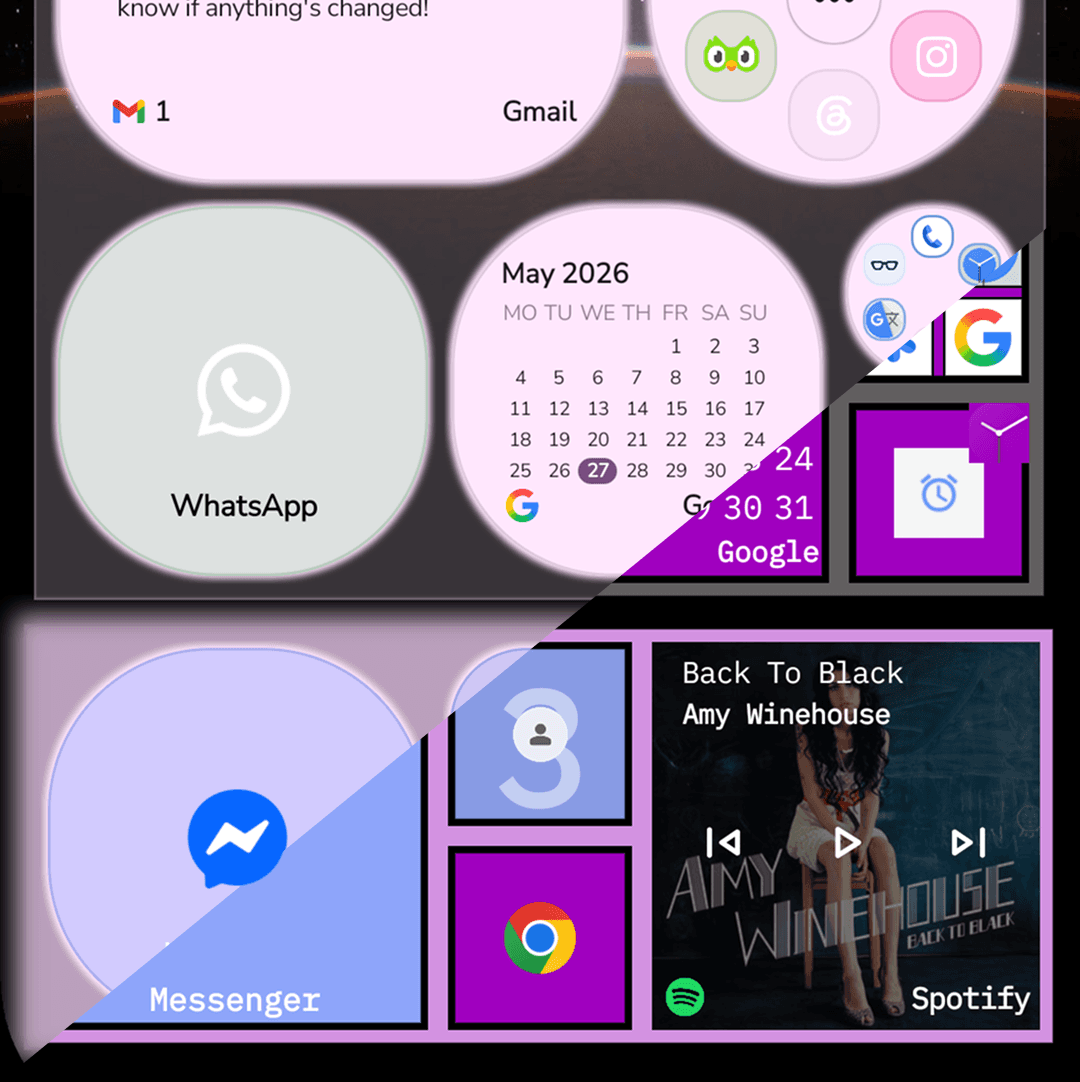
Looks that feel right.
Icons, palette, grid density, themes. Lean Metro, full Material You, or somewhere weird in between. Tune it until it actually feels like your phone.
Why We Built It
Yeah, we loved Windows Phone too.
The tile grid felt alive in a way an icon grid never did. You could see things without opening anything.
Then it went away. Android got a lot better at most things, but the home screen stayed a wall of stamps.
We didn't want to clone Metro. We wanted the feeling back — tiles that show you stuff, a grid that bends — built on top of what Android does well now. Dynamic color. Real widgets. Smooth gestures.
So we built one.
Not a skin. Not a tribute. Just the launcher Android has been quietly missing.
Not retro. Just right for right now.
Stuff people ask
No. The tile idea came from there, but everything around it is built for Android in 2026 — dynamic colors, modern gestures, real Android widgets. Inspired, not nostalgic.
Yep. Drop them on the grid like any launcher, or tuck them inside a tile dashboard so they only show when you long-press. Both work.
No. None planned either. No banners, no popups, no upsell screens.
It's small, starts fast, and stays out of the way in the background. Built to feel like part of the OS, not an app sitting on top of it.
Android 8.0 and up. Material You theming needs Android 12+, but the rest — including full color customization — works on older devices too.
There's a Pro tier with extra customization and a few power-user toys. The free version isn't a demo though — it covers the whole core experience.
Works on both. Bigger screens just get more grid space to play with.
Supported via a small companion bridge app. Setup lives on the Mur Feed page.
What makes it different
Tiles that pull their weight
Music, messages, weather, your next meeting. Each tile shows something instead of just sitting there.
Quiet or loud, your call
Strip it down to icons. Stack dashboards on every tile. Same launcher either way.
Zero ads. Forever.
No banners, no popups, no upsell mid-swipe. Not now, not later.
One long-press. Whole hub.
Notifications, controls, widgets — folded into the tile you're already on. No app jumping.
Metro grid, Material color
Sharp where you want structure. Dynamic where you want personality. Both, at once.
Tiles do more than apps
Drop a clock, calendar event, or photo gallery straight onto any tile.
Feedback
Got an idea? Hit a bug? Tell us — most of what shipped this year started here.
Share your feedbackGet in touch
Stuck on something, want to chat, or just say hi — we read everything.
Theme Studio
Build a theme in your browser — colors, tile shapes, icons, grid density — then send it straight to your phone.
Open Theme Studio